


Fill in your profile
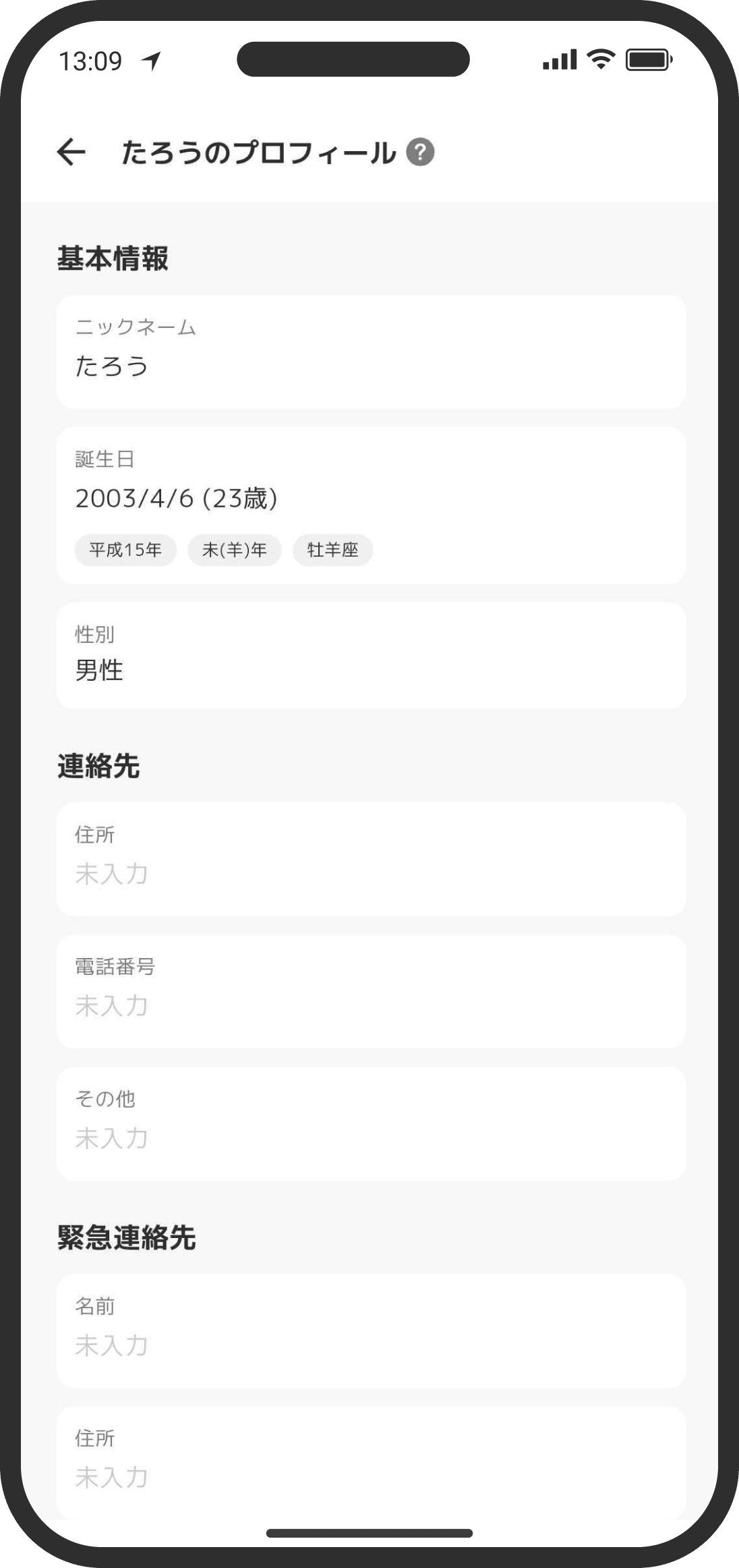
Filling in lots of profile details comes in handy for paperwork and shopping. You can edit your partner's info too, so whenever you learn something new, like your partner's shoe size, update it.
What is it?
This is where you can edit the nickname, birthday, and gender you registered when you created your account, and fill in all kinds of profile details, like contact info, work, and hobbies.
What you enter is encrypted and shared only with your partner. You can each edit the other's profile too. To change your profile photo, tap "Change" at the top right of your user page.
How to use it
- View it from "Profile" on your user page, which you open by tapping the user widget on the Home screen. You can also get to your user page from the Settings screen (tap the gear icon at the top right of the Home screen).
- If you want to start editing right away, you can also open it from "Fill in your profile."
FAQ
Q. Does updating my profile send a notification?
No. Updating your profile doesn't send a notification.
Q. How long can my nickname be?
Up to 10 Japanese characters (hiragana, katakana, or kanji), or up to 20 letters and numbers. Japanese characters and emoji count as 2 each, and letters and numbers count as 1, so you can mix them. Changing the app's display language doesn't change how long a name can be.
Q. Can anyone else see the info in my profile?
It's encrypted, so no one but your partner can see it. Only "Hobbies & preferences" may be used for the counselor's suggestions.