

Sort out and share feelings
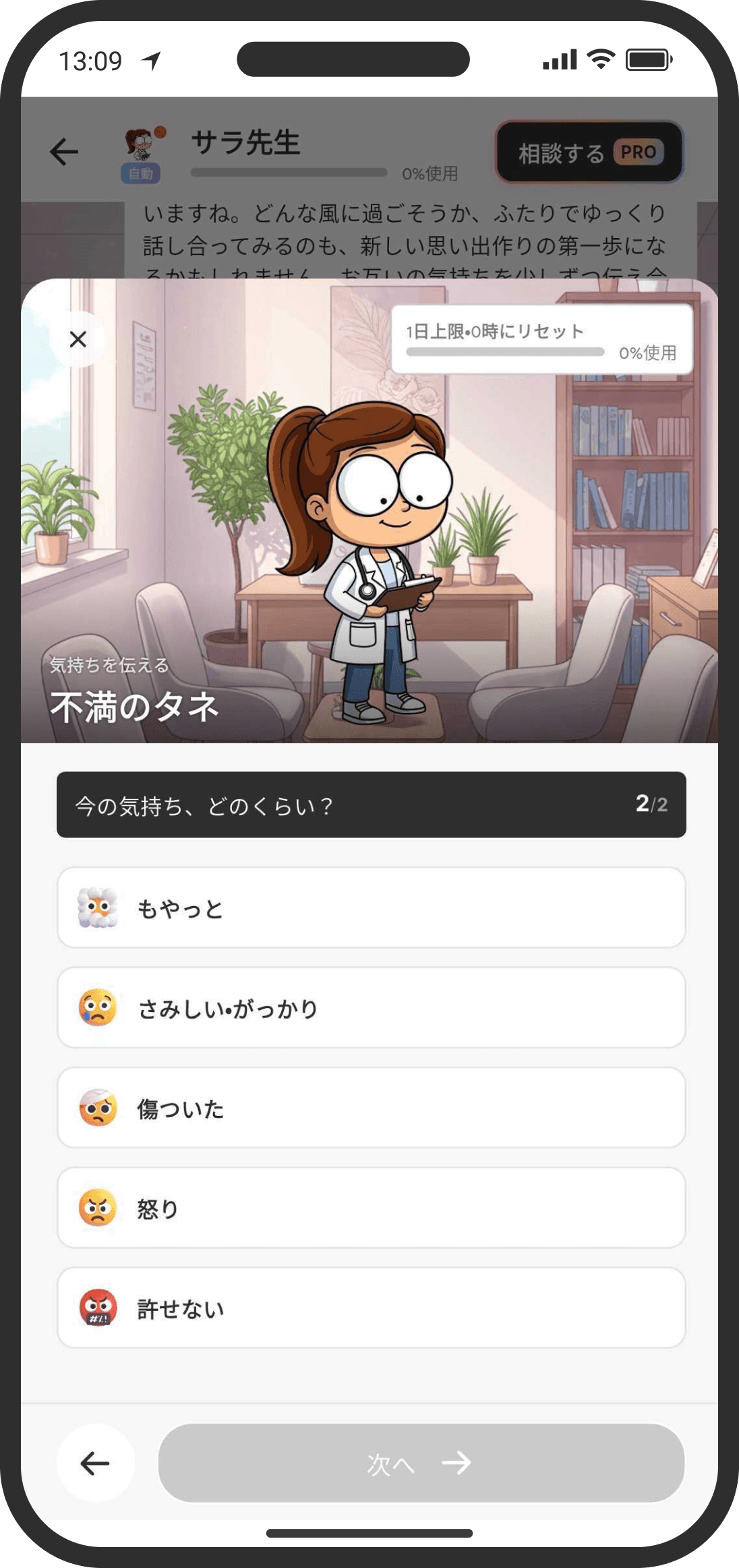
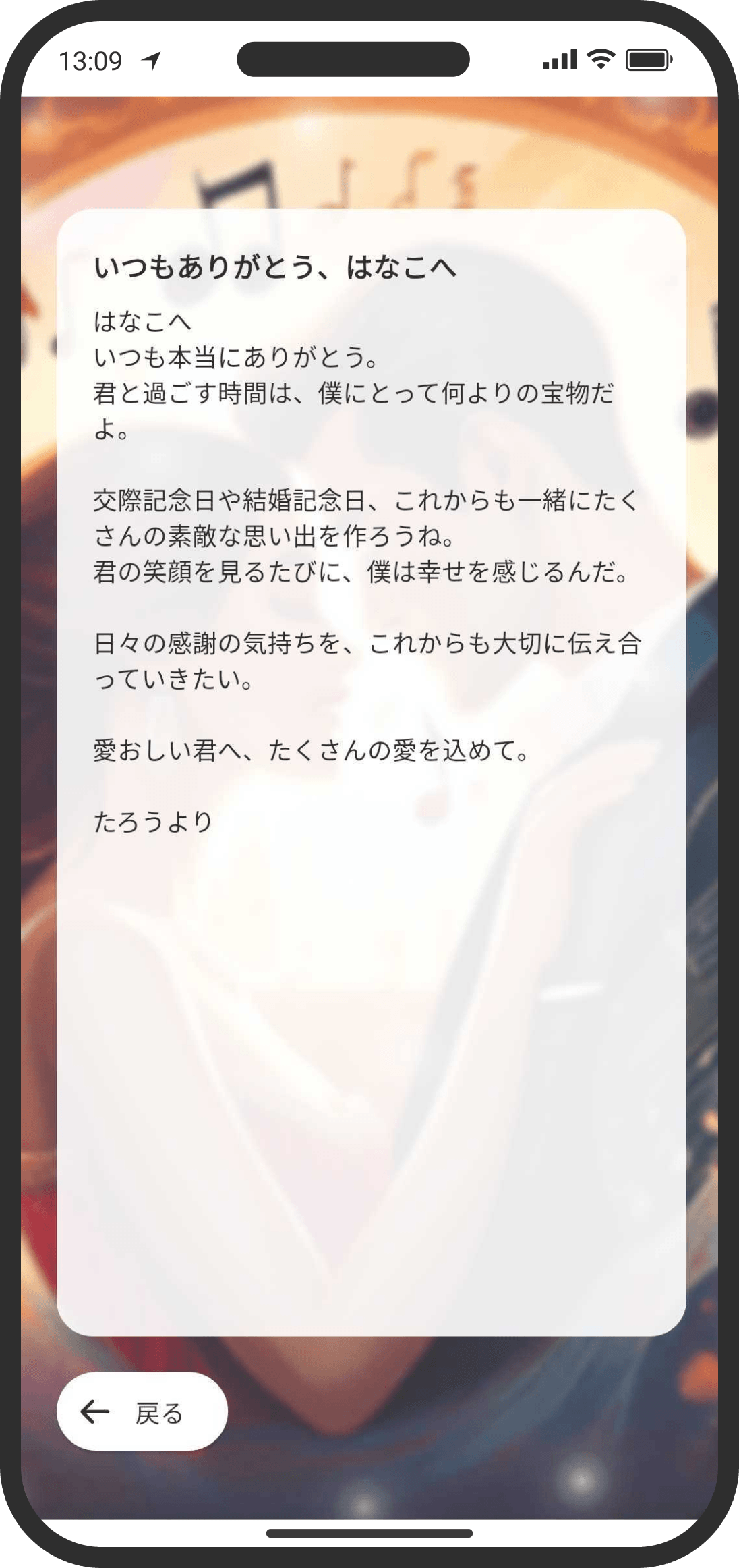
Share your positive feelings freely. With negative feelings, it's best not to send them right away. Try sorting them out with me first.
What is it?
This feature lets you sort out the many feelings you have toward your partner together with the counselor, and share them. As you keep using it, you'll get better at sorting out your feelings in a way grounded in cognitive psychology. There are seven types:
- Thanks
For when you want to thank your partner, or when there's something you forgot to thank them for. - Love letter
Send the love you haven't fully put into words as a love letter with music. - Request
For when there's something you'd like your partner to do, or you want to gently say "I'd like it if you…" - Apology
For when you want to apologize or make up. If saying it isn't enough to resolve things, try the Court feature. - Seed of frustration
For when you feel even a little frustrated, like when you snap or feel lonely. Sorting out and recording these feelings often, before they boil over, helps prevent fights. - Jealousy
For when you feel jealous, or you're not sure whether to tell your partner about an uneasy feeling. - Other
For feelings that don't fit the types above but that you still want to share or record.
Each type has its own set of questions, and once you've answered them, the counselor polishes the wording for you. When the message is ready, you can choose "Send now" or "Record only."
If you choose "Send now," it arrives right away in your shared counseling room as a message from the counselor. No push notification is sent at this point. Your partner will notice it from the unread count on the counselor on the Home screen.
If you choose "Record only," it's saved in the counselor's memory. It isn't sent to your partner directly and is kept only in the counselor's notes (love letters don't have "Record only"). Feelings you save with "Record only" are never shown to your partner word for word. Only when the AI decides "this is worth sharing with the two of you" might it be gently woven into a morning message. For anything you never want your partner to know, record it in "Consult" (COUPPLY PRO) or don't write it down.
FAQ
Q. Does my partner get a push notification?
No, there's no push notification. Your partner will notice when they open the counselor screen.
Q. Can I tell whether they've read it?
No. The counselor screen doesn't show read receipts.
Q. Can I rewrite it as many times as I want?
Yes. However, on the free plan, each rewrite uses food. With COUPPLY PRO, it costs nothing until you reach the daily token limit.
Q. Does it count toward missions and badges?
Sending with "Send now" completes the "Say thank you" and "Share your love" missions and counts toward the "Thanks" and "Love letters" achievement badges. "Record only" doesn't count.
Q. Won't it come across as harsh or heavy?
The counselor rewords it so that, instead of blaming your partner, it says "what I really wanted" and "how I felt." If the wording is too strong, or if you've never told your partner about that expectation before, the counselor may suggest reworking it instead of sending it as is.
Q. I want to write my love letter myself
You can. On the first screen that opens for a love letter, tap "Write it myself" at the bottom, then enter the music, title, and message yourself and send it. It doesn't use the AI, so it doesn't use food. If you can't quite sort out your feelings, tap "Next" instead: just fill in each step and the counselor will turn it into a letter (this uses food).
Q. I can't choose music for my love letter
You can't choose music you don't own for a love letter. Get it in the store and you'll be able to choose it.
Q. I want to see the feelings I've shared before
Long-press any of the chips at the bottom of the counseling room to filter the feelings you've shared so far.
Q. Is the message sent as soon as it's created?
After it's created, a "Preview" appears. To change the wording, tap "Adjust the wording" and describe how you'd like it rewritten, and the counselor will redo it. Only after it's been redone does "Undo" appear, which takes you back to the previous version (the history is cleared when you close this screen, so you can only go back once). On the free plan, each time a message is created or redone uses food. With COUPPLY PRO, it's free up to the daily token limit.